Blairwitchii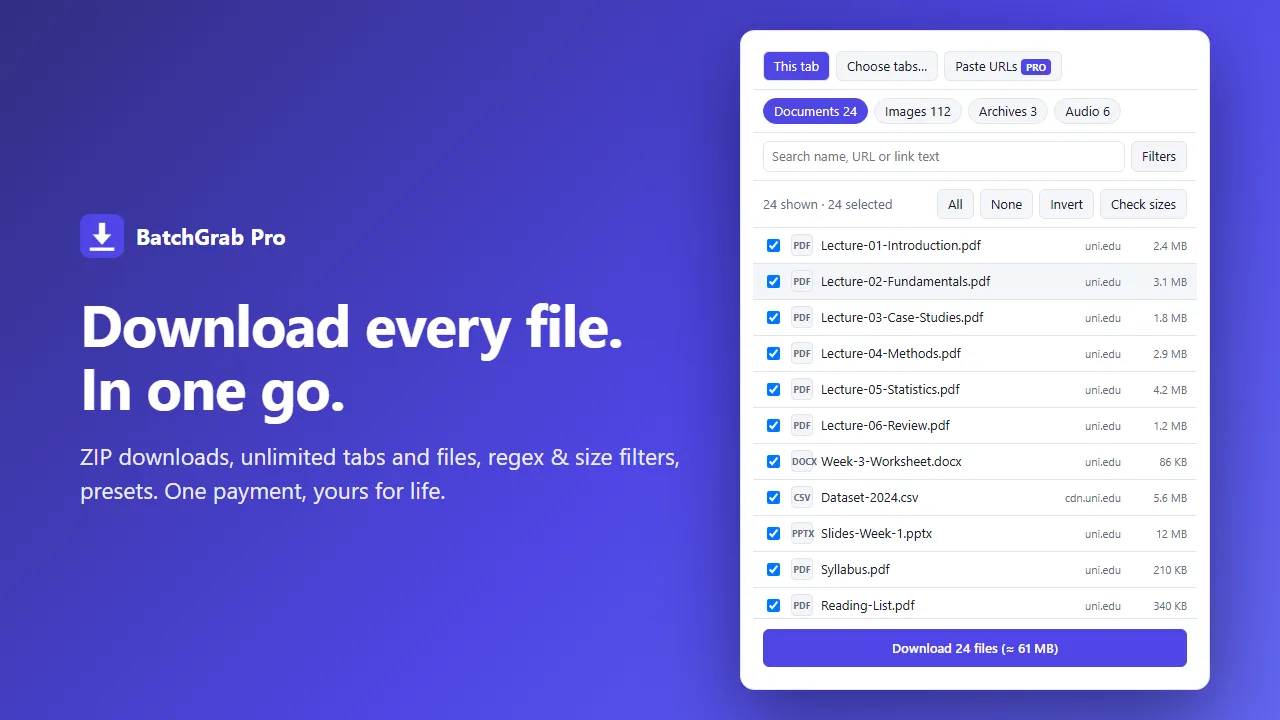
🚀
BatchGrab – Bulk File Downloader
LiveFree
The popular extension for this, Simple Mass Downloader, stopped working when Chrome retired Manifest V2. Plenty of peopl
The popular extension for this, Simple Mass Downloader, stopped working when Chrome retired Manifest V2. Plenty of peopl
Building a dev tool or hiring developers? Get seen here. Become our Sponsor
I got tired of saving files one at a time. So I built a tool for it.
If you’ve ever pulled 50 PDFs from a course page, product photos from a catalog, or attachments for a report, you know the drill: right-click, Save as, rename, repeat.
BatchGrab is now live on the Chrome Web Store:
→ Finds every file on a page (documents, images, archives)
→ Filter by type, rename with templates, and see a live preview before you save
→ A download queue that pauses, resumes, and retries failed files
→ Pro: one-click ZIP, unlimited files and tabs, regex and size filters
Three principles I held to:
• It runs entirely in your browser. No tracking, no data collection.
• It asks for site access only when a feature needs it.
• It does one job, bulk-downloading files linked on web pages, and doesn’t touch video or streaming.
If you work with documents all day (teachers, researchers, VAs, ops, e-commerce teams), I’d value your honest feedback. What would make it more useful for you?
Building a dev tool or hiring developers? Get seen here. Become our Sponsor