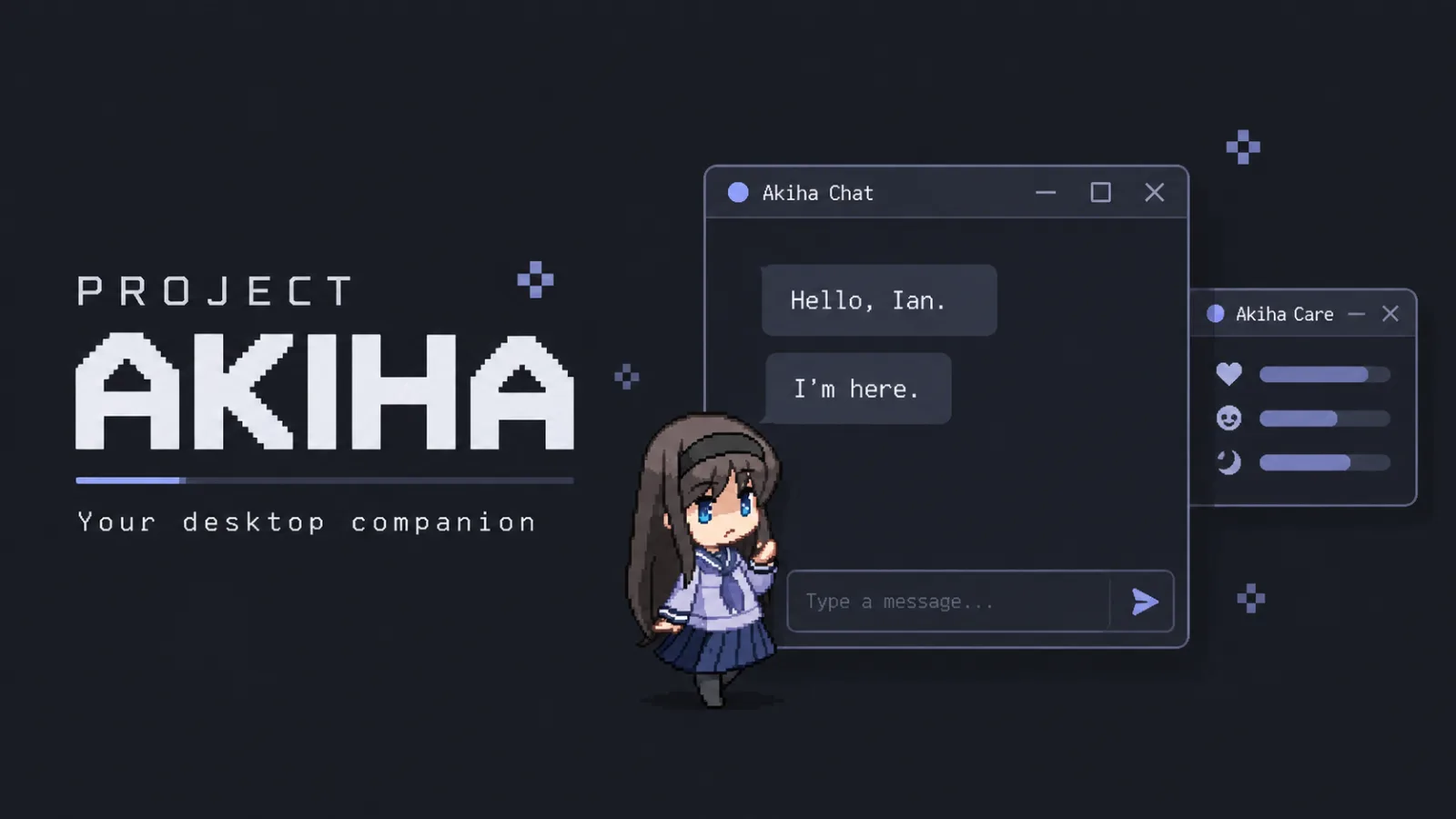
Project Akiha
My personal AI desktop companion that chats with me, remembers details, responds to voice commands, and helps with every
README
Project Akiha
A Windows-first, local-first AI desktop companion with an animated pet, persistent memory, optional voice, and permission-gated assistant actions.
Quick start · Architecture · Privacy · Documentation · Roadmap
Status: Personal project under active development. Phases 1–12 are complete; Phase 13 (everyday assistant utilities) is in progress.
Meet Akiha
Akiha lives on your desktop as a draggable, animated companion. Chat with her, review what she remembers, care for her, and enable the voice or desktop integrations you want to use. Activity awareness, mood, progression, and quiet-hours controls help her feel present without demanding constant attention.
The app starts with a deterministic mock chat provider, so you can explore the pet and UI without an API key. Connect a local model or explicitly choose a hosted provider when you want AI conversation.
Features
- Desktop companion: transparent pet window, tray controls, pixel-art animation, and staged sleep and wake transitions.
- Streaming chat and memory: swappable AI providers, conversation history, summaries, and durable memories with configurable approval and management tools.
- Optional voice: local faster-whisper recognition and streamed Japanese GPT-SoVITS speech, interruption, multi-turn conversation, and optional English subtitles. Gemini Live offers a separately enabled cloud-audio mode.
- Pet care and progression: persistent needs, care actions, levels, currency, a shop/appearance system, and locally controlled idle, wander, and rest behavior. Additional appearances depend on validated, approved artwork.
- Scoped desktop assistance: discover files inside approved directories, open supported files and local media, and launch or gracefully close allowlisted applications.
- Optional integrations: Spotify playback, read-only Gmail metadata notifications, and Discord awareness through an official bot account.
- Notification controls: a notification inbox, aggregation, quiet hours, cooldowns, and configurable delivery channels.
Timers, durable reminders, and weather/current-information utilities are planned in Phase 13; they are not available features yet.
What Makes Akiha Different
The application owns execution authority. AI providers can propose actions, but every proposal is untrusted. Typed validation, scoped permissions, confirmation rules, allowlisted executors, and sanitized audit history sit between a model response and a desktop action.
Companion behavior has its own state. Pet needs, progression, and autonomous activities follow structured local rules rather than being inferred from model dialogue. Chat, memory, voice, and integrations can evolve independently.
You choose where processing happens. Local, hybrid, and hosted voice modes are explicit choices. A provider failure never silently switches processing to another local or cloud service.
Architecture
Akiha uses a layered, event-driven architecture with a framework-free core:
PySide6 UI  <-->  Application controllers
                         |
                 Core models and policy
                         |
          Providers · Repositories · Services · Integrations
core/contains domain models and policy without Qt, concrete providers, or Windows API dependencies.app/wires dependencies and coordinates use cases;ui/owns presentation.- Providers handle AI and voice; repositories isolate SQLite persistence.
- Memory flows through extraction, normalization, validation, storage, retrieval, and prompt-context assembly.
- External integrations enter through typed service boundaries. Assistant actions always pass through the application-owned permission pipeline.
See the codebase map for module ownership.
Security and Privacy
- Local persistence: settings, conversations, memories, pet state, and logs
live under
%LOCALAPPDATA%\Akiha\. There is no cloud sync. - Explicit off-device processing: hosted chat can receive prompts, recent messages, retrieved memories, and summaries. Hosted live voice requires separate consent to stream microphone audio. Remote provider URLs also send data off-device.
- Protected credentials: credentials entered in Settings use Windows DPAPI encryption for the current Windows user, separate from ordinary TOML settings.
- Limited action scope: grants are revocable. The assistant action system rejects arbitrary shell execution, elevation, arbitrary executables, and filesystem mutation.
- Bounded communication awareness: Gmail uses metadata-only access. Discord uses bot DMs, mentions, and authorized channels; it cannot monitor a normal user's private DMs. Raw message bodies and attachments are neither persisted nor sent to an LLM by these integrations.
Details: local data and privacy · security review.
Tech Stack
| Layer | Technologies |
|---|---|
| Desktop | Python 3.12+, PySide6 / Qt 6 |
| Persistence | SQLite, TOML configuration |
| AI | Mock provider, Ollama, OpenAI-compatible endpoints |
| Optional voice | faster-whisper, GPT-SoVITS, Google Gen AI SDK for Gemini Live |
| Quality | unittest, Ruff, Black |
| Windows packaging | PyInstaller for development, Nuitka for release candidates |
Quick Start
Use Windows and Python 3.13 for the documented setup below. The base app supports Python 3.12+; Python 3.13 is the project's voice and packaging environment.
From a local checkout of this repository, run these commands in PowerShell:
py -3.13 -m venv .venv313
.\.venv313\Scripts\python.exe -m pip install -e ".[dev]"
.\.venv313\Scripts\python.exe -m project_akiha.app.main
No environment activation is required. The first launch uses mock chat with voice and external integrations disabled. Open Settings from the pet menu or tray to configure a provider. Ollama requires a separately installed local server and model; hosted providers require your own credentials.
See AI provider setup for configuration.
Optional Voice and Integrations
Install only the extras you need into the same environment:
# Local speech recognition
.\.venv313\Scripts\python.exe -m pip install -e ".[voice]"

# Gemini Live cloud audio
.\.venv313\Scripts\python.exe -m pip install -e ".[live]"

# Discord Bot Gateway transport
.\.venv313\Scripts\python.exe -m pip install -e ".[integrations]"
The voice extra installs speech recognition; GPT-SoVITS needs a separate
runtime, models, and reference audio. Once configured, select GPT-SoVITS
and Start local TTS automatically in Settings > Voice to let Akiha manage
its local API process. See the voice documentation
and voice-mode architecture.
Gmail uses the standard-library HTTP transport. Gmail, Discord, and Spotify each need separate account/application setup and explicit enablement; installing an extra does not connect an account. See communication integrations and Spotify setup.
Testing
After installing the dev extra, run from the repository root:
.\.venv313\Scripts\python.exe -m unittest discover tests
.\.venv313\Scripts\python.exe -m ruff check project_akiha tests
.\.venv313\Scripts\python.exe -m black --check project_akiha tests
.\.venv313\Scripts\python.exe -m compileall project_akiha tests
Packaging commands, build caches, and release verification are documented in the build and release workflow. Real-device checks are covered by the packaged smoke checklist.
Documentation
| Guide | Contents |
|---|---|
| Documentation index | Phase records, shared references, and historical evidence |
| Codebase structure | Source layout and ownership boundaries |
| AI providers | Local and hosted chat configuration |
| Local data and privacy | Stored data and provider disclosures |
| Assistant actions | Permissions, supported actions, and audit behavior |
| Build and release | Packaging and verification workflows |
Roadmap
| Area | Status |
|---|---|
| Desktop companion, chat, memory, and proactive behavior | Implemented |
| Local voice, Gemini Live, and provider-proposed actions | Implemented |
| Pet care, progression, shop, and autonomous activity | Implemented; additional appearance artwork remains gated |
| Gmail/Discord awareness and runtime/notification reliability | Implemented |
| Everyday assistant utilities | In progress: contracts complete; clarification and confirmation next |
The Phase 13 plan covers timers, reminders, read-only weather/current information, contextual directory navigation, and privacy-safe export. Detailed milestones and acceptance records live in the documentation index; deferred work lives in the project backlog.
Project and License Notes
Project Akiha is a personal project inspired by Akiha Tohno from Tsukihime. It is not an official TYPE-MOON product. Character and third-party asset rights remain with their respective owners.
This repository does not currently include a license file. No open-source license is declared here for the code or bundled assets.
Journey
No updates yet.