
pc-atlas
An interactive, procedural 3D desktop computer explorer. Inspect 567 selectable pieces, 38 named components, and 12 har…
README
Computer Atlas
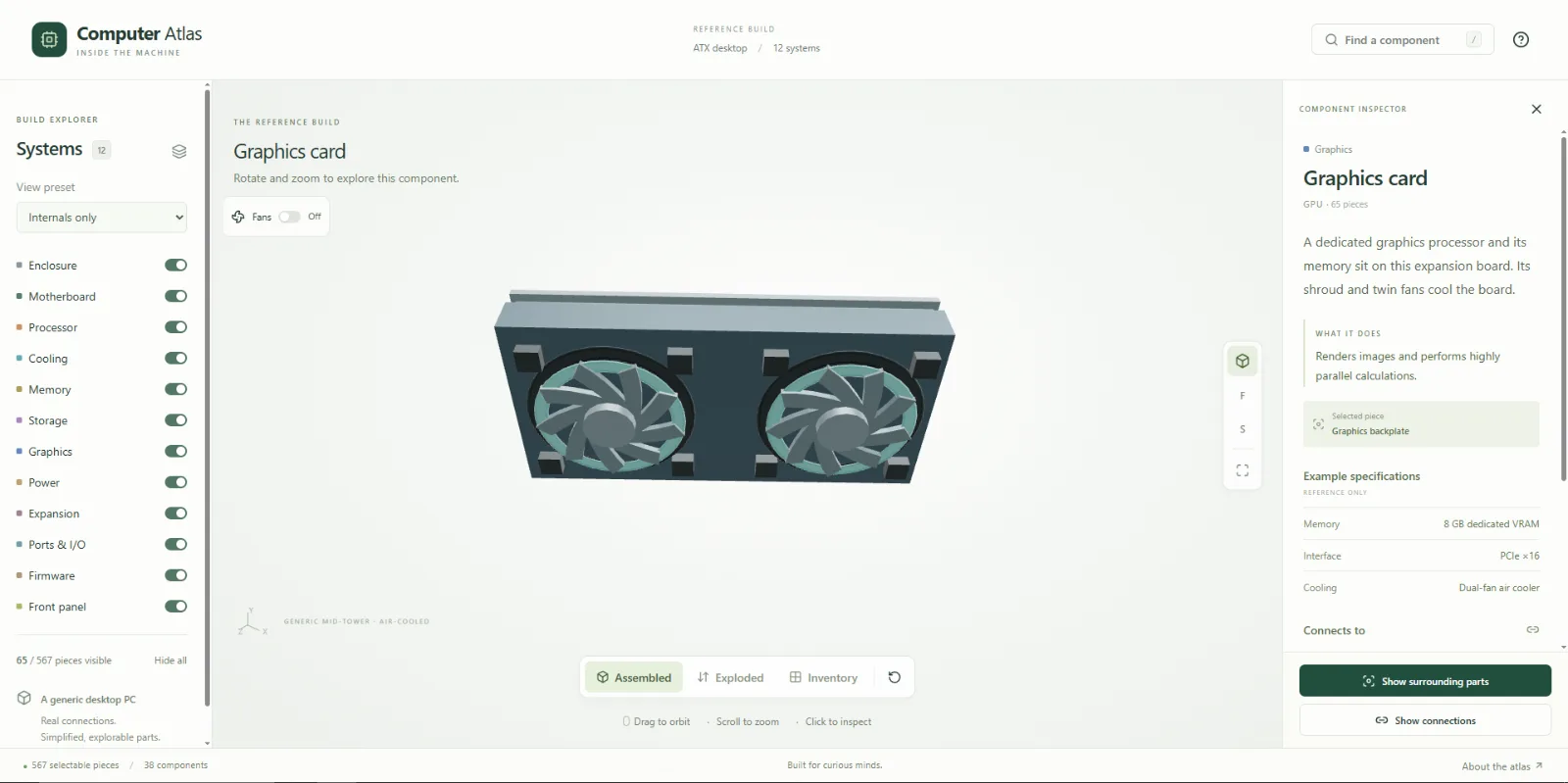
An interactive, AR-enabled, procedural 3D desktop computer explorer. Inspect 567 selectable pieces, 38 named components, and 12 hardware systems. React, TypeScript, Vite, imperative Three.js, Tailwind, and shadcn-style Radix UI components. No API keys, account, backend, or remote model download is required.
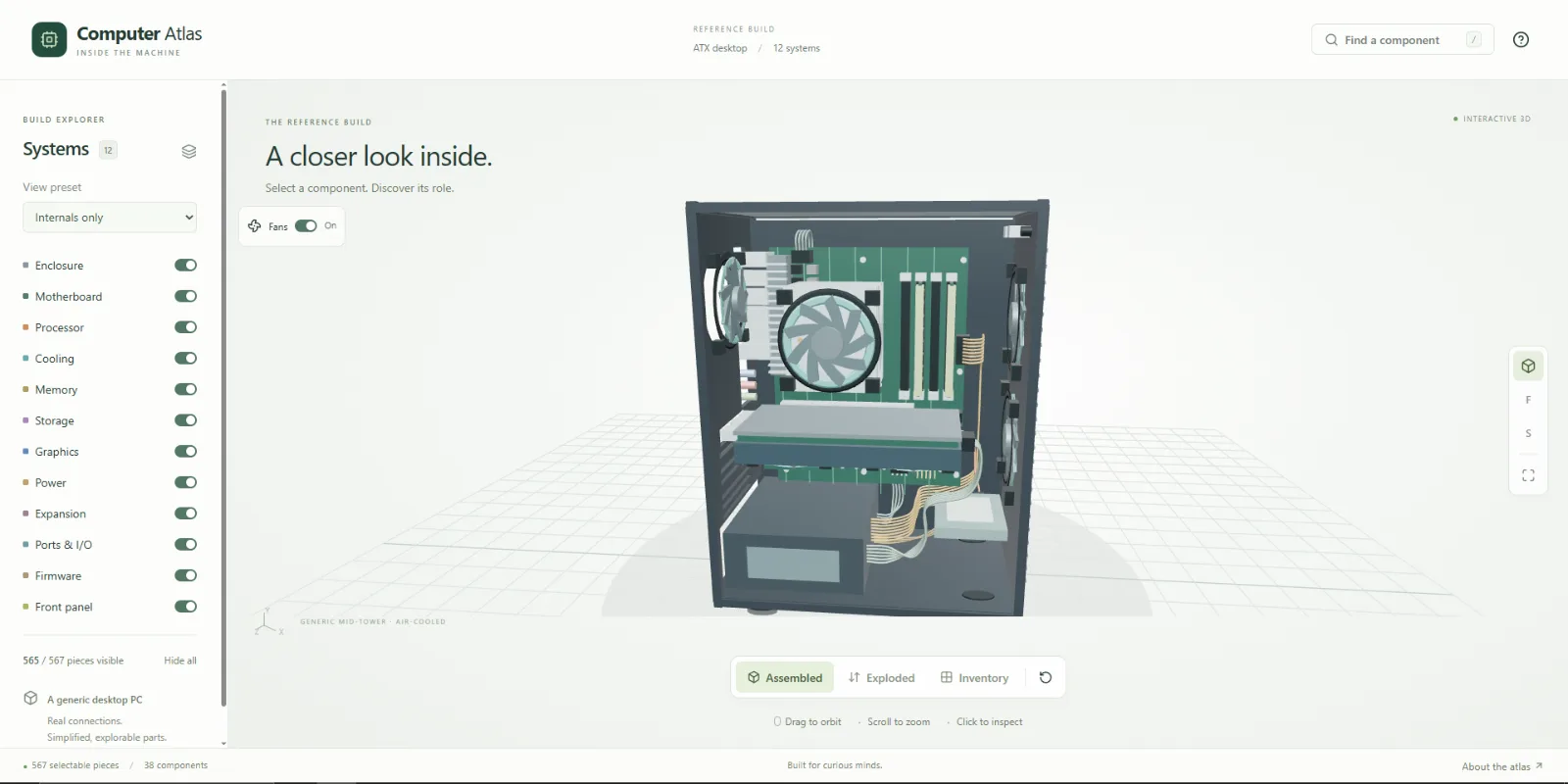
Explore
- Drag to orbit, wheel or pinch to zoom, right-drag or two-finger drag to pan.
- Hover to highlight a piece; click or tap to inspect it. Dragging cancels selection.
- Toggle systems, show one system, or use all six presets: Full build, Internals only, Bare motherboard, Cooling & airflow, Power path, Memory & storage.
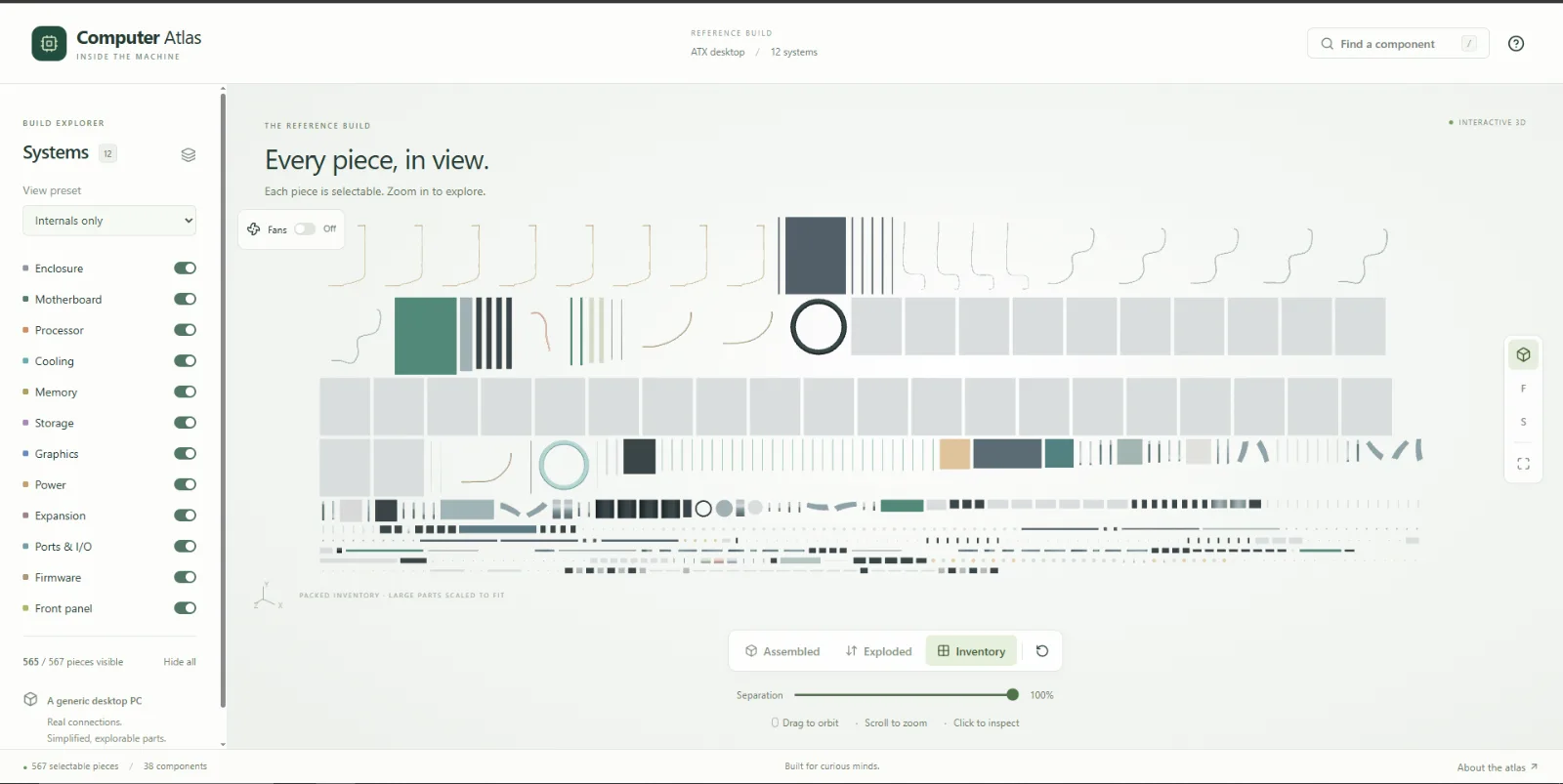
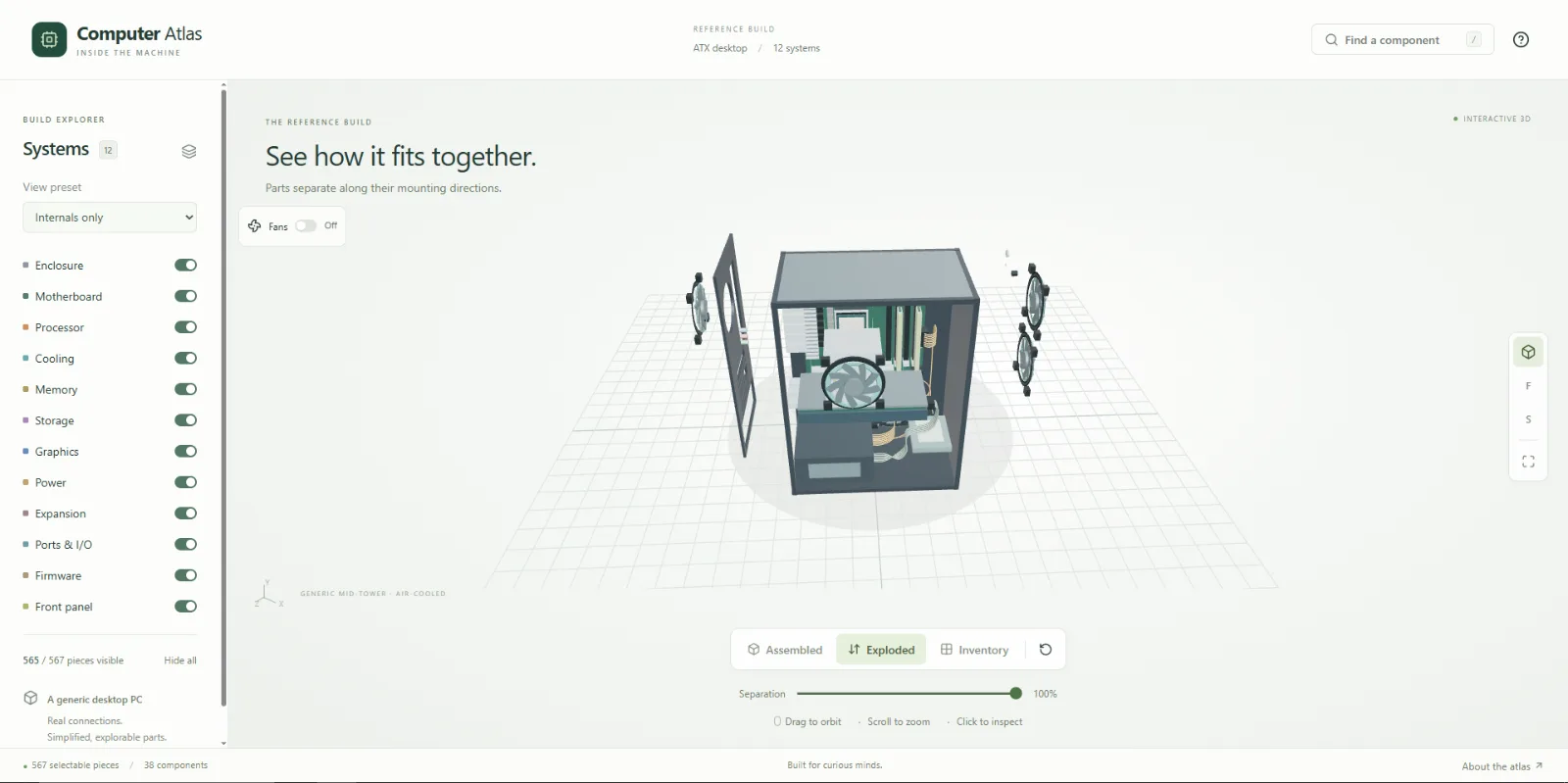
- Switch between assembled, mounting-axis exploded, and packed inventory views. A separation slider animates between the assembled and separated positions.
- Use Fans to switch spinning on or off for the CPU, case, and graphics-card fans. Animation starts off, pauses in Inventory view, and also works in AR.
- The fixed rear chassis panel has an exhaust-fan opening, motherboard and expansion-card port cutouts, ventilation slots, and a power-supply opening. It remains visible when the removable side panels are hidden.
- Search names, aliases (RAM, DIMM, memory stick), component IDs, mesh IDs (such
as
cpu-1), or systems. Typo tolerance includes queries such asmemroy. Press/to search, arrow keys to browse results, Enter to inspect, and Escape to dismiss. - Isolate a component, inspect example specifications, and follow clickable connection links. Connections mode highlights neighbours and draws schematic links between them; these lines are logical connections, not electrical schematics.
- In the focused canvas,
+/-zoom andHomefits the view. A fully keyboard accessible search and details interface is an alternative to spatial picking.
Run locally
Requires Node 22.13 or newer (development and validation used Node 24.15.0).
npm ci
npm run dev
Open http://127.0.0.1:5173. Production output is generated in dist/:
npm run build
npm run preview
Validate
npm run check
node scripts/validate-atlas.mjs
node scripts/validate-cables.mjs
node scripts/validate-interactions.mjs
node scripts/validate-ar.mjs
npm run build
npm run validate runs the data, cable routing, interaction, and AR validators. Atlas validation checks
unique IDs, systems, nonempty educational data, concept membership, reciprocal
connections, finite nondegenerate triangles, positive dimensions, and geometry
containment within packing bounds. It validates the actual procedural geometry,
not just the catalog. Interaction validation checks selection, visibility,
isolation, aliases, typo search, touch/mouse gesture cancellation, and 114 packed
layouts across viewport ratios, presets, and individual systems.
Cable validation samples each rendered spline with its tube radius and a clearance margin against solid component bounds. The CPU and 24-pin bundles run behind the motherboard; GPU and SATA leads route around the card and drive. Only intentional contact at the source socket and cable's own plug is allowed.
AR validation checks secure-context support detection, surface orientation, placement/reset transitions, bounded scaling, tap/drag/pinch cancellation, and the session coordinator using deterministic XR doubles. It covers optional DOM Overlay, selection event order, tracking loss, startup failures, repeated sessions, and sessions ending while asynchronous setup is still in flight.
For browser tests, keep npm run dev running in another terminal:
npx playwright install chromium
npm run test:browser
Optionally set ATLAS_URL to a preview-server URL. The suite saves screenshots
and browser-report.json under ignored artifacts/.
Tested here: TypeScript, ESLint, the static production build, the two validators, and Playwright headless Chromium using software WebGL. Browser checks exercise canvas picking, orbit drag without accidental selection, simulated touch taps, touch drag and pinch cancellation, individual mesh-ID search, system toggles, all presets, fuzzy search, isolation, related-part navigation, connection lines, idle rendering, and desktop 1440×900 plus 390×844, 320×568, and 844×390 layouts. Screenshots were visually inspected.
Not tested: physical phones, real multitouch/pinch hardware, Safari, Firefox, hardware-GPU performance, screen-reader announcements, or a live Vercel deployment. Synthetic multitouch cancellation is covered by the gesture and browser checks; it is not a claim of real-device testing. The optional external-model loader and WebMCP integration are not included in this version.
Tabletop AR
Use an AR-capable Android device and a browser that supports WebXR
immersive-ar with hit-test and local reference space (for example,
Chrome on an ARCore-compatible device with Google Play Services for AR).
Support is detected at runtime; a browser name alone does not guarantee support.
Open the site as a top-level page over HTTPS and allow the browser's camera/AR
permission prompt. An ordinary http://192.168.… LAN address is not a secure
context. For USB development, Chrome's port forwarding or adb reverse tcp:5173 tcp:5173 lets the phone open http://localhost:5173, which is treated as secure.
Otherwise use a trusted HTTPS development host. No camera-based fallback or VR
mode is provided.
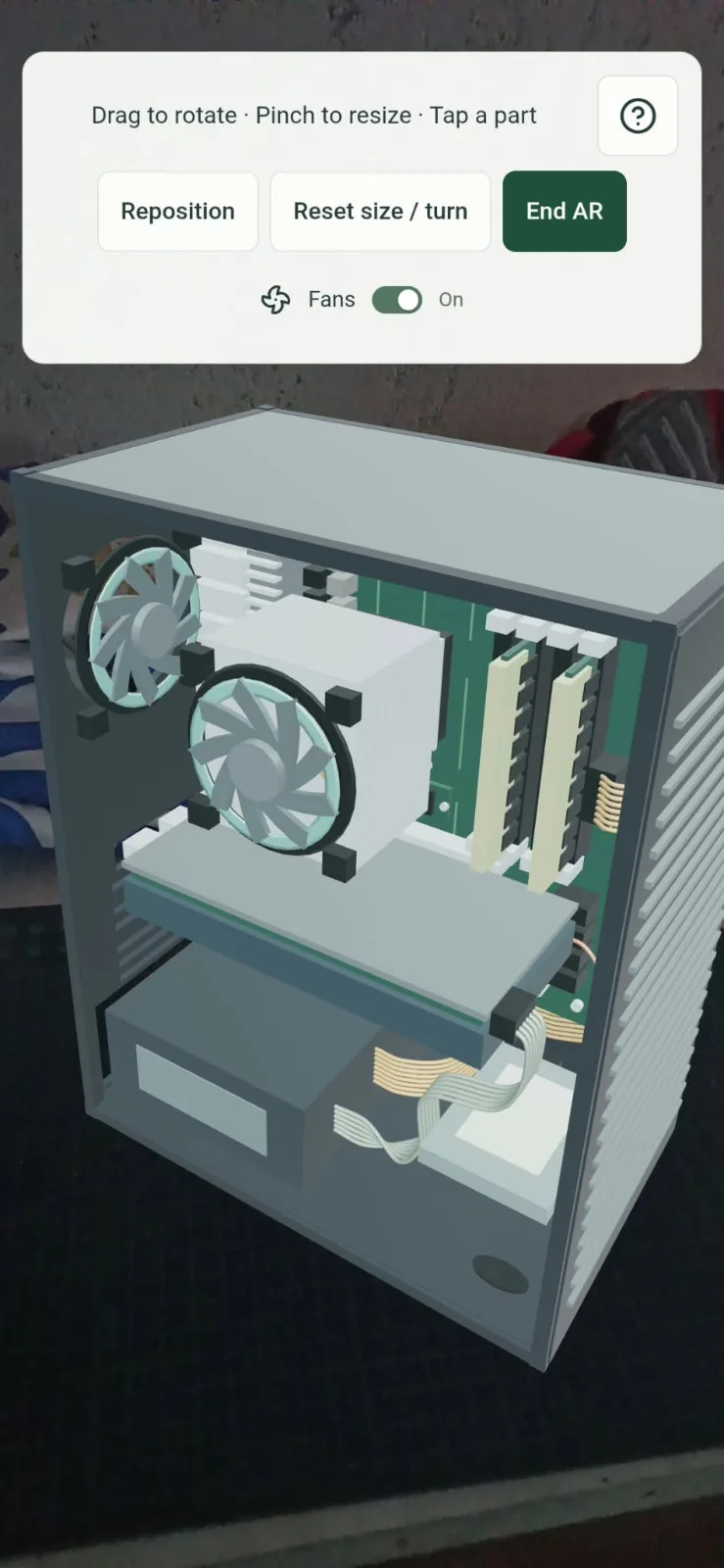
- Tap Enter AR, which appears only after a successful capability check. Placement instructions open automatically. Close them with × or ?, and use ? to reopen them at any time during the session.
- Move the phone slowly over a well-lit, textured tabletop. A pale green ring marks a detected horizontal surface; walls and steep slopes are ignored.
- Press down on the circle marker (tap once) to spawn the PC. It starts about 32 cm tall with its feet on the table, facing you. The model stays in local world space as you walk around.
- Drag horizontally to rotate, pinch to resize between 16 and 64 cm tall, or briefly tap a component to highlight it and inspect its existing details.
- Reposition discards the old surface and requires a fresh placement. Reset size / turn restores the original size and orientation at the same location. End AR or the browser's exit control restores the desktop view.
AR uses the assembled open-sided PC and a separate explorer state. Desktop filters, layout, selection, camera and controls are preserved for the return. The original instanced meshes, metadata, picking and highlight path are reused; there is no second PC model. While presenting, XR supplies the camera and frame loop and OrbitControls is disabled. Once placed, new hit-test results cannot move the model. Tracking-origin resets are rebased when the runtime provides a transform; otherwise a fresh placement is requested. This is session-local placement, not a persistent anchor saved across sessions.
DOM Overlay is optional. When granted, compact touch controls and the existing scrollable inspector are shown over the camera feed. Without it, a small XR panel provides the same placement controls and a component name/description from the shared catalog. XR target rays drive picking and gesture coordinates; secondary screen input sources supply pinch input. Overlay controls suppress XR selection so pressing a button cannot also select/place the PC.
npm run test:browser also runs scripts/ar-browser-check.mjs: unsupported and
insecure contexts, a rejected capability query, denied session permission, and
the real React/Three scene driven by a test-only XR runtime. It checks
placement, the shared inspector, reset/reposition, native exit, reentry, and
pixel-identical desktop restoration with the demand renderer returning to idle.
Reports and screenshots are saved under artifacts/. These tests do not emulate
physical surface detection, camera passthrough, real multitouch, or tracking drift.
Before shipping to devices, test on an AR-capable Android phone over HTTPS:
- Permission grant/deny, hit-test availability, a real tabletop, and wall rejection.
- Tap-to-place, walking around the PC, slow/fast drags, and two-finger scaling at both limits without accidental component selection.
- Small component picking, scrolling/closing details, and controls not triggering scene input; check a device/runtime without DOM Overlay when available.
- Reposition, reset, orientation changes, tracking loss/recovery, browser pause, browser-native exit, repeated entry, and restoration from an inventory or isolated desktop view. Check performance on the device's GPU.
No physical WebXR device was available during this implementation. The automated
checks establish application behavior, not real-world tracking quality. API
references: WebXR Device API,
DOM Overlay, and the installed
Three.js 0.180.0 WebXRManager implementation.
Data
lib/catalog.ts: typed named concepts, aliases, systems, parent assemblies, educational descriptions, example specs, and reciprocal connector relationships.lib/geometry.ts: procedural pieces with stable per-concept IDs, shape, transform, material color, and mounting direction. Every piece has exactly one concept.lib/interactions.ts: explorer state, presets, visibility, search, and gestures.lib/layout.ts: deterministic, bounded packing for visible pieces only.
Assumptions: generic ATX mid-tower, air-cooled CPU, four DIMM slots with two DDR5 modules, dual-fan graphics card, M.2 NVMe and 2.5-inch SATA SSDs, ATX PSU, and an additional wired network card. All specifications are illustrative; no real branded product or proprietary connector pinout is represented. An AIO is not installed in this air-cooled reference. All twelve requested systems are retained.
The 36 socket contacts and cable strands illustrate structures, not exact pinouts. PCB routing, electronics placement, fan mounts, dimensions, and cooling behavior are simplified. The model is not a compatibility checker or assembly manual.
How it works
Human Atlas was studied as a blueprint for the concepts/meshes separation, system filters, search-to-inspection flow, packed explosion, and small-screen controls. This repository contains original implementation and geometry. See attribution.
The React UI lazy-loads the Three.js scene. The scene batches shared shapes and
materials with InstancedMesh; a raycast's instance index resolves to an
individual piece. Hidden batches are disabled. The default complete scene has
about 59 draw calls and 51,308 triangles. It schedules frames for changes,
camera damping, transitions, and enabled fan animation; an automated idle test checks that frame counts
stop changing. Resources are disposed on teardown. The environment lighting is
generated locally with Three.js's RoomEnvironment; no HDR file is downloaded.
Assembly-axis explosion follows each piece's mounting direction. Inventory packs each visible piece in a separate cell, including every fin and contact. A dedicated orthographic camera preserves non-overlapping projected footprints at 100% separation. Intermediate animation can overlap by design. Large parts are scaled down in inventory (never assembled mode); this is stated in the UI. Zoom or select to inspect small pieces. Orbit is disabled in inventory to preserve its layout; zoom and pan remain available. Mobile detail sheets reserve real layout space, and camera controls and view controls sit outside the canvas viewport.
Keyboard focus traps and dismissal for dialogs come from Radix. WebGL failure shows a recovery message while the search/catalog remains available. Reduced motion preferences disable transition interpolation.
Deploy
The included vercel.json specifies npm ci, npm run build, and dist.
Import this directory as a Vite project in Vercel with Node 22.13+ (or Node 24).
The result is a static site and can also be served by another static host.
This work prepared and built the deployment configuration; it did not publish
to a Vercel account or create a public deployment.
License
Original application code and procedural geometry: MIT. Third-party dependencies retain their own licenses, preserved in THIRD_PARTY_LICENSES.txt. No anatomy data, externally sourced 3D models, photographs, or textures are included.