PDS Studio
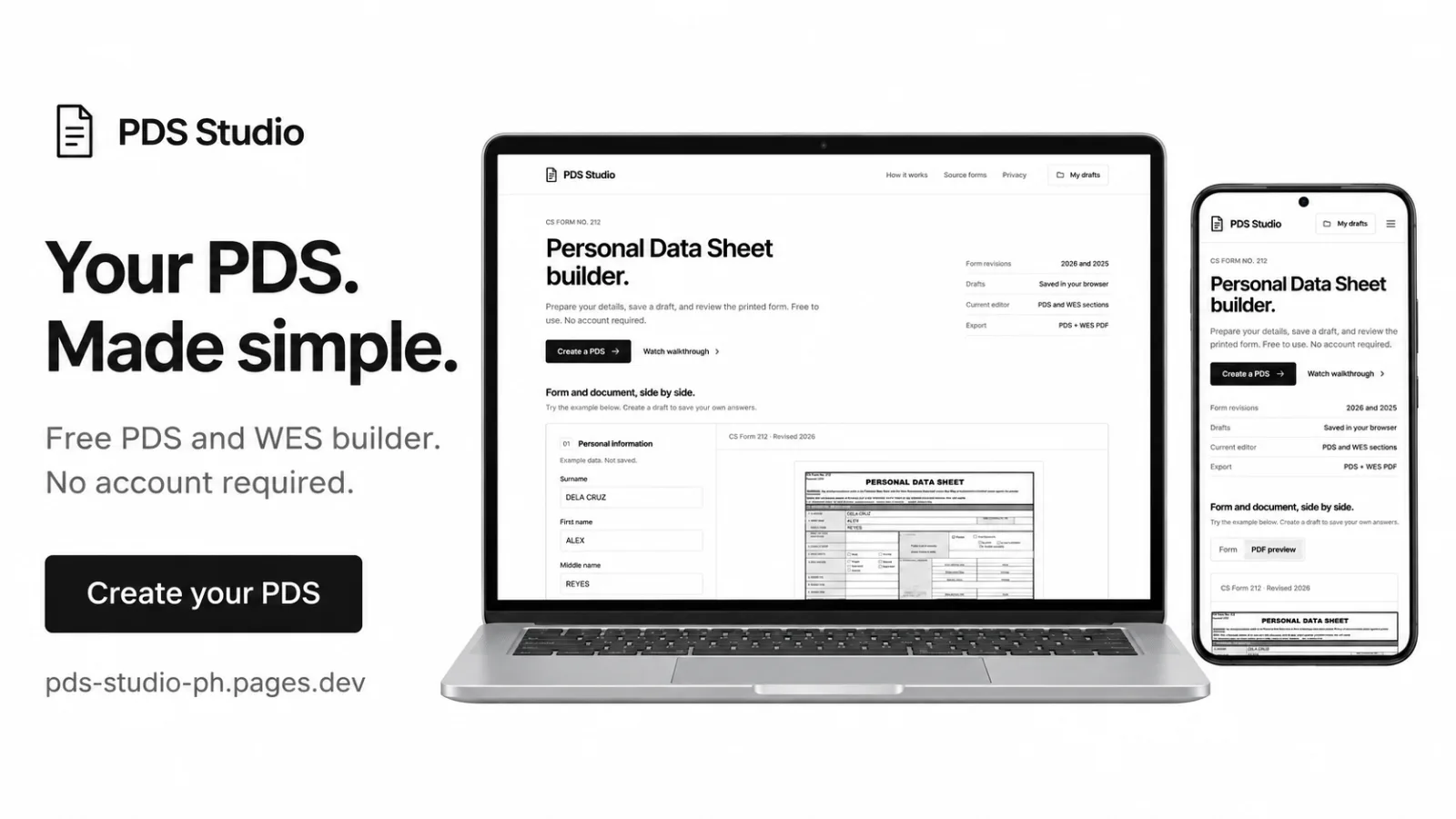
PDS Studio helps create, save, and download your Personal Data Sheet and Work Experience Sheet for free, with no signup.
Journey
No posts yet. Neyoiooo shares progress on this project here.
README
PDS Studio
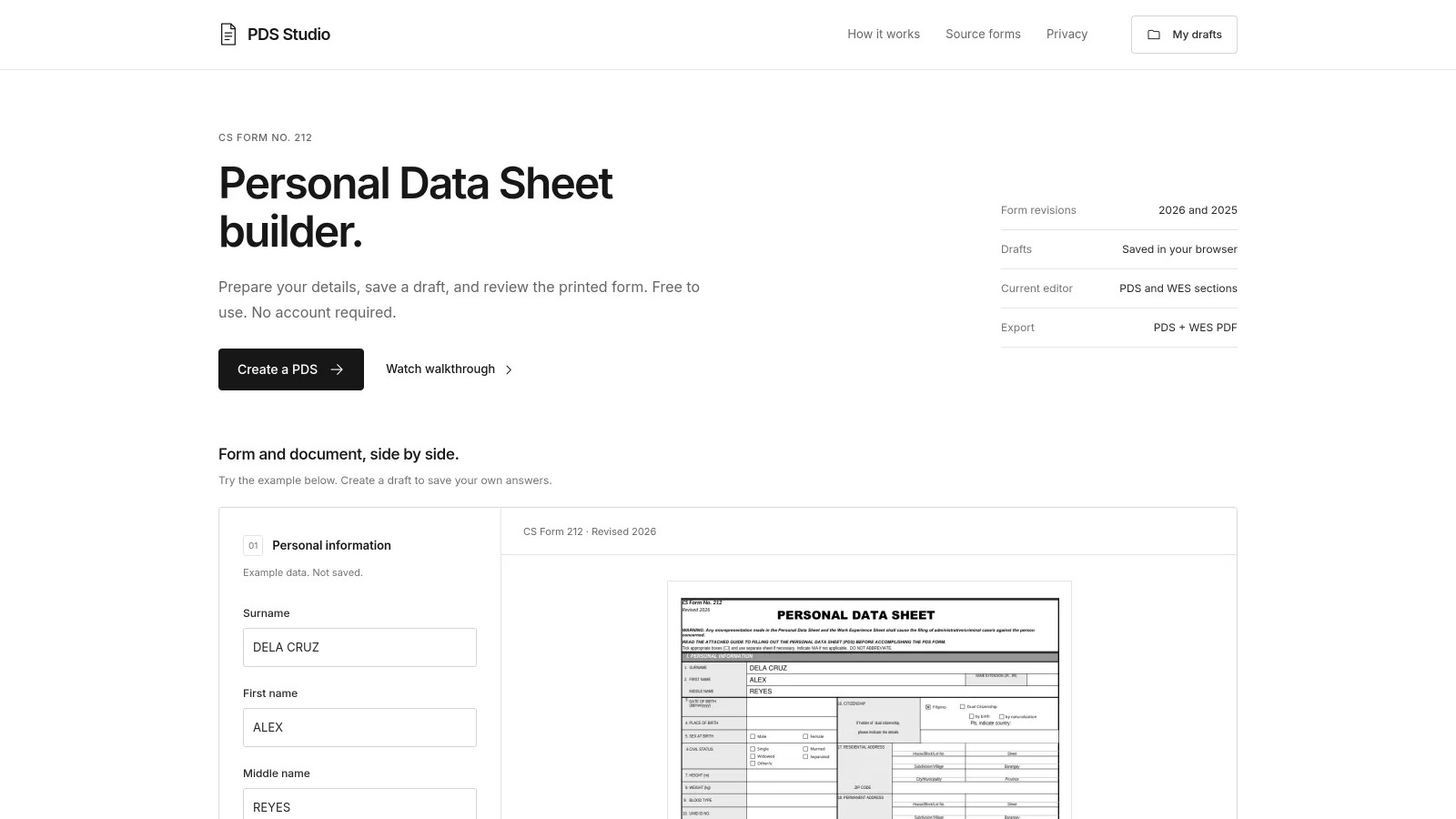
A free Personal Data Sheet (PDS) and Work Experience Sheet (WES) builder for Filipino job seekers. Fill out a guided form, review the actual document layout, and download a PDF. No account or subscription is required.
Open PDS Studio · Open the builder
Features
| Feature | What it does |
|---|---|
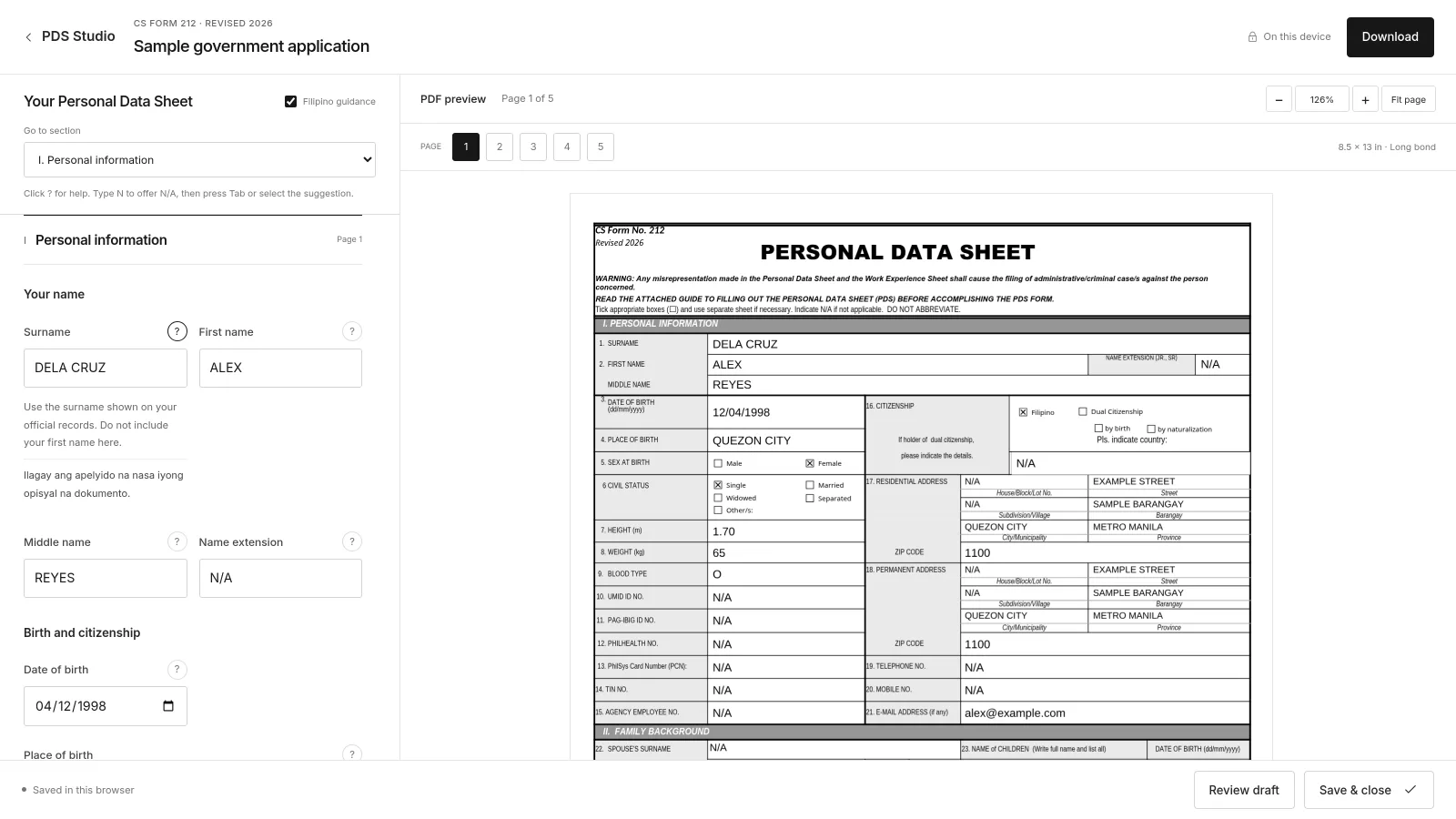
| Revised 2025 and 2026 PDS | Uses separate CS Form No. 212 templates and revision-specific fields. |
| Complete form editor | Covers personal information, family, education, eligibility, work, voluntary work, training, other information, background questions, references, and declaration. |
| Live document preview | Follows the selected form section to its PDF page. Starts at 126% zoom, with manual zoom and Fit page controls. |
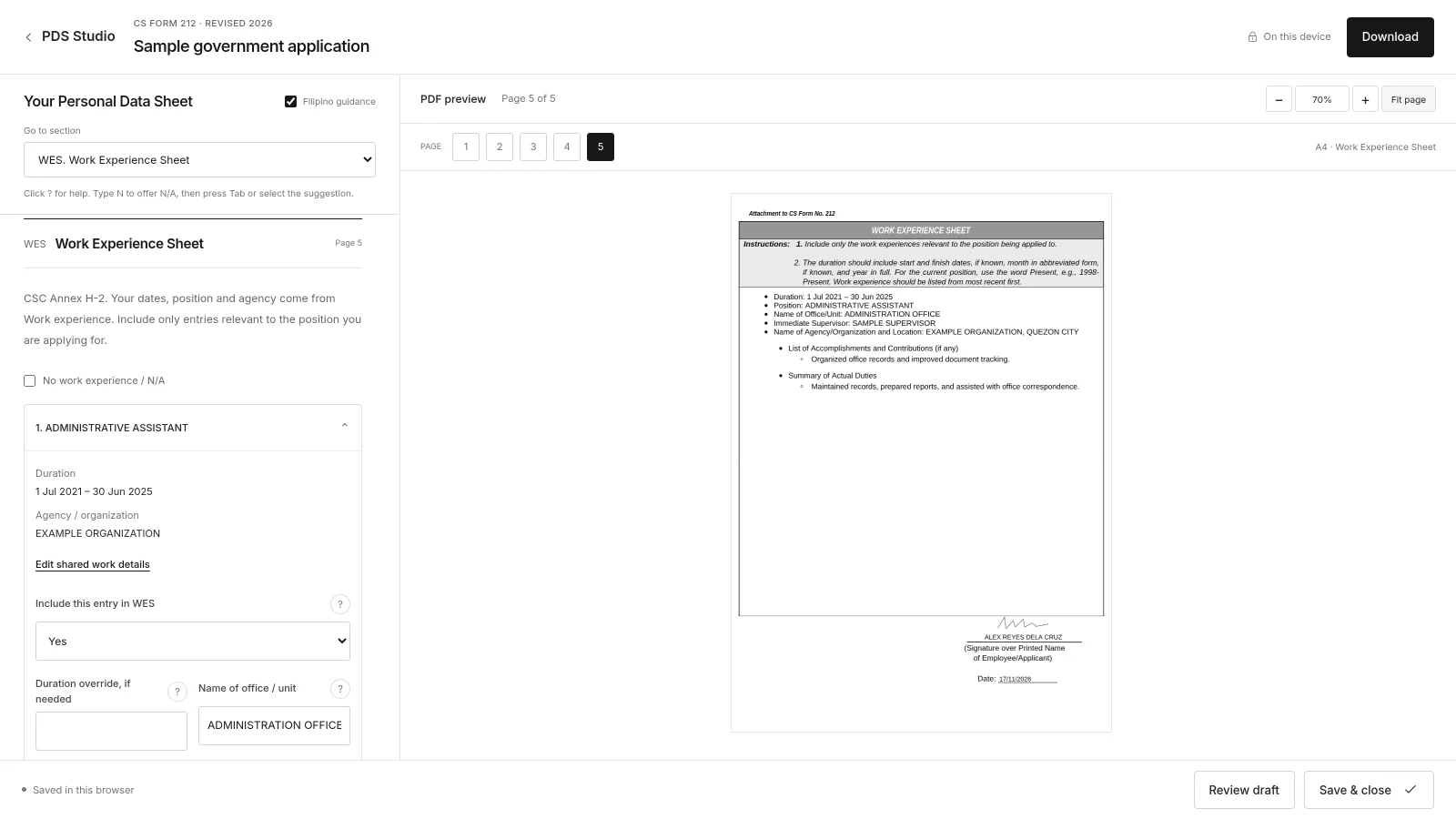
| Work Experience Sheet | Builds the CSC Annex H-2 attachment from work records, with duties, accomplishments, and additional pages when needed. |
| Flexible PDF downloads | Offers PDS + WES, PDS only, and WES only from the Download menu. |
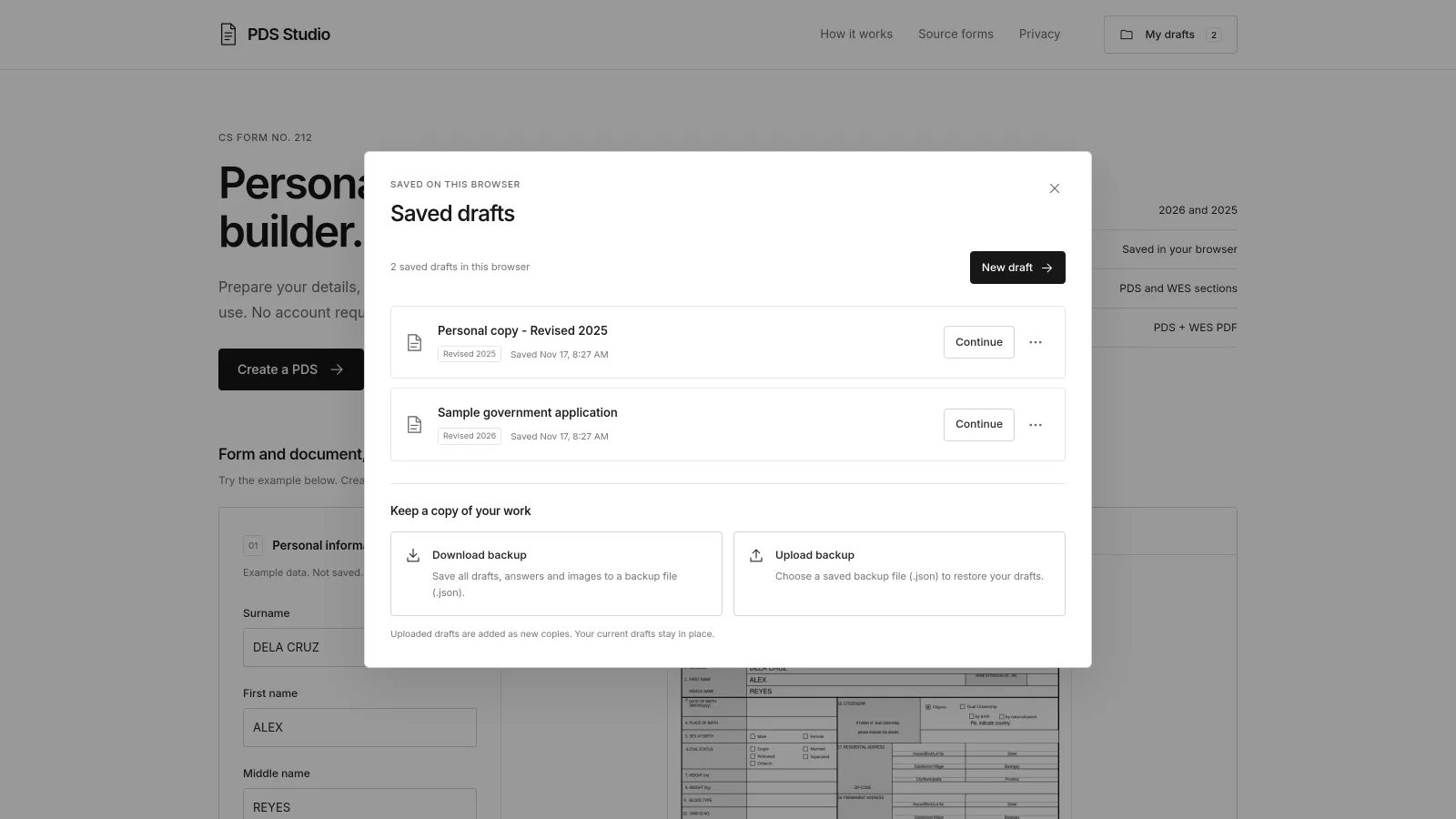
| Browser-saved drafts | Autosaves multiple named drafts with rename, duplicate, delete/undo, and recovery handling for conflicting saves across tabs. |
| Backup and restore | Downloads a JSON backup containing drafts, answers, and images. Uploading a backup adds separate copies. |
| Guided answers | Provides field hints, optional Filipino guidance, date pickers, country and eligibility suggestions, blood-type choices, and N/A shortcuts. |
| Address and education helpers | Copies residential details to the permanent address and keeps separate junior/senior high schools within the Secondary area of the PDS. |
| Signature drawing | Supports mouse, touch, and stylus input. Save signature locks the drawing; Edit signature unlocks it. The signature is reused in applicant signature areas. |
| Automatic photo processing | Removes an uploaded ID photo's background and replaces it with white, using a model running on the user's device. |
| Responsive interface | Provides a side-by-side desktop workspace, mobile form/preview tabs, and a captioned video walkthrough on the landing page. |
Excel upload and filled Excel download are outside the current scope. PDF is the document export format; JSON is the editable draft backup format.
How to use it
- Select Create a PDS, choose Revised 2025 or 2026, and name the draft.
- Fill out the form. Use Go to section to navigate and ? for field guidance. Type
Nin supported text fields to accept anN/Asuggestion with Tab or a click. - Add work records, then open Work Experience Sheet to select relevant entries and complete their duties and accomplishments.
- Upload an ID photo and draw or upload a signature. Select Save signature before scrolling over the drawing area on a phone.
- Use Review draft and check every PDF page. Open Download and choose the document combination you need.
- Return through My drafts to continue later. Use Download backup to keep a copy you can restore in another browser or on another device.
Privacy and storage
PDS Studio is a static, browser-based application. It has no login service, application database, or server-side document processing.
- Answers and uploaded images are stored in IndexedDB in the current browser and website origin.
- PDF generation, preview rendering, and photo background removal happen on the device. The application does not send form answers or uploaded photos to a server.
- Fonts, PDF tools, the photo model, and the walkthrough video are hosted with the site. The application includes no analytics or third-party runtime services.
- Hosting still receives ordinary requests for the website's static files; browser-local processing does not make those requests anonymous.
- Drafts do not automatically sync across devices, browsers, or different website addresses. Clearing site data or using private browsing can remove them.
- Backup files contain personal answers and images as readable JSON. They are not encrypted; keep them somewhere private.
Browser storage is convenient for resuming work. A downloaded JSON backup is the way to keep an independent, editable copy of all drafts.
Supported forms and document layout
Download the original templates directly from the Civil Service Commission:
- PDS Revised 2026 — CS Form No. 212 (.xlsx)
- PDS Revised 2025 — Annex H-1, CS Form No. 212 (.xlsx)
- Work Experience Sheet — Annex H-2 (.docx)
CSC download pages: Revised 2026 forms · 2025 ORAOHRA attachments.
The project records source URLs, preparation notes, and checksums in dist/templates/sources.json and dist/templates/wes-sources.json.
The PDF backgrounds are derived print conversions, not PDFs originally issued by CSC. The original Office masters are retained unchanged in the repository. The landing page links to the official source downloads.
| Document | Layout |
|---|---|
| PDS Revised 2025 | Four main pages, 8.5 × 13 inches; uses the PSN field. |
| PDS Revised 2026 | Four main pages, 8.5 × 13 inches; uses the PCN field and includes monthly salary and salary/job/pay grade fields in work experience. |
| WES Annex H-2 | A4 attachment shared by both supported PDS revisions. No separate 2026 WES revision was verified in the recorded source review. |
Combined output places the four main PDS pages first, WES from page 5 onward, and any PDS continuation sheets afterward. The preview and export use a shared PDF snapshot for the same draft and document selection.
Local development
Requirements
- Node.js 24 or newer and npm for the build and automated checks.
- Python 3, or another static HTTP server, for local viewing.
- A current browser with JavaScript and IndexedDB enabled. Photo processing also requires support for the bundled WebAssembly/runtime capabilities.
Run these commands from the repository root:
npm ci
npm run build
python3 -m http.server 8000 --bind 127.0.0.1 --directory dist
Open http://127.0.0.1:8000/. For the direct builder with this basic server, open http://127.0.0.1:8000/pds-builder.html.
Use HTTP instead of opening index.html with file://; the application loads JavaScript modules, PDF templates, and model files by URL. Keep the same host and port when returning to local drafts because browser storage is origin-specific.
Source and build conventions
The editable HTML, CSS, and JavaScript live directly in dist/. In this repository, dist/ contains the application source as well as the generated release files.
npm run build runs release.mjs. It fingerprints the application modules, stylesheet, and PDF templates; updates the HTML entries; and writes dist/release.json. It does not publish the site. Edit the top-level source files, then rebuild rather than editing files inside dist/assets/releases/.
Commands
| Command | Purpose |
|---|---|
npm ci |
Installs the pinned development dependencies from the lockfile. |
npm run check |
Runs syntax, form, PDF, storage, workflow, photo, backup-image, renderer, and security checks. |
npm run build |
Creates content-addressed release assets and the direct builder entry. |
npm run prepare:pages |
Builds and prepares the allowlisted Cloudflare Pages static upload package. |
npm run prepare:cloudflare |
Prepares the retained Workers Static Assets package; the retired Workers address remains disabled. |
The automated suite uses synthetic data and generates sample PDF fixtures under dist/. Test fixtures and original Office masters are excluded from the prepared production upload. Checks do not replace visual inspection or testing on physical phones.
Project structure
.
├── dist/
│   ├── index.html                # Landing page and workspace shell
│   ├── pds-builder.html          # Generated direct-builder entry
│   ├── app.js                    # Navigation, drafts, review, and downloads
│   ├── styles.css                # Responsive interface
│   ├── form-schema.js            # Form sections, fields, and guidance
│   ├── form-editor.js            # Form controls and interactions
│   ├── storage.js                # IndexedDB, draft validation, and backups
│   ├── draft-saver.js            # Save queue and conflict recovery
│   ├── validation.js             # Shared input/export validation
│   ├── review.js                 # Review checklist
│   ├── pdf-engine.js             # PDF sessions, preview, and rendering
│   ├── pdf-content.js            # PDS content drawing and continuations
│   ├── wes-model.js              # Work-record selection and ordering
│   ├── wes-pdf.js                # WES generation and pagination
│   ├── signature-pad.js          # Signature drawing and locking
│   ├── image-validation.js       # Uploaded/restored image header checks
│   ├── photo-*.js                # Local photo segmentation and compositing
│   ├── assets/                   # Font, sample images, video, release assets
│   ├── models/                   # Pinned segmentation model and provenance
│   ├── templates/                # Source masters, print templates, provenance
│   └── vendor/                   # Self-hosted libraries and license notices
├── hosting/                      # Hosting configuration, upload tools, SEO notes
├── release.mjs                   # Dependency-free release preparation
├── cloudflare-pages-prepare.mjs  # Pages package and manifest preparation
├── cloudflare-prepare.mjs        # Static asset allowlist and size checks
├── *-check.mjs                   # Focused automated checks
├── checks.mjs                    # Core syntax and integration checks
├── package.json
└── package-lock.json
Technology
- HTML, CSS, and vanilla JavaScript ES modules; no frontend framework.
- IndexedDB for persistent drafts and BroadcastChannel for cross-tab change notices.
- Self-hosted pdf-lib for PDF generation and PDF.js 6.5.438 for previews.
- Self-hosted MediaPipe Tasks Vision 0.10.32 with a pinned Selfie Segmenter model for local photo processing.
- Inter typography and a white, monochrome interface.
- Cloudflare Pages for production static hosting, with no Pages Functions or database bindings.
Deployment
The live site uses a Cloudflare Pages Direct Upload project:
https://pds-studio-ph.pages.dev/
Prepare the release from the repository root:
npm run check
npm run prepare:pages
This produces the static upload directory at .cloudflare/assets/ and the Pages manifest at .cloudflare/pages-manifest.json. Both are local build outputs; .cloudflare/ is ignored by Git.
Follow the Pages upload procedure to deploy. Preparation does not deploy automatically, and this Direct Upload project has no repository-triggered builds.
Keep the security headers from hosting/cloudflare-headers, the redirect rules, and the generated 404 page in each deployment. Retain previously fingerprinted assets so tabs already open on an older release can continue loading their dependencies. The old Workers address is retired and should remain disabled.
For search configuration and ownership verification, see Google Search setup.
Security and maintenance
Production applies a Content Security Policy, framing restrictions, MIME sniffing protection, a no-referrer policy, and a restricted Permissions Policy. Uploaded and restored images share PNG/JPEG dimension-header checks before decoding. Backups are parsed through the draft schema, and input errors are checked again before document export.
When changing dependencies or templates, retain version pins, provenance records, and vendor license notices. Keep credentials out of the source tree and deployment package. Use synthetic records and images in tests, screenshots, and demonstrations.
Current limitations
- Exports are marked DRAFT. The applicant must check the answers, document layout, agency requirements, and any signature or oath requirements before submission. PDS Studio is an independent tool and is not affiliated with CSC.
- Exact Microsoft Excel print fidelity has not been established for the derived PDF templates. Some source fonts use documented substitutes.
- The current PDF answer font supports Latin-script text, including
ñ. Unsupported characters produce a validation message. - Photo segmentation can leave imperfect edges, especially around hair or complex backgrounds. Inspect the processed photo in the preview.
- The PDF canvas does not provide a complete accessible text layer; the labeled form remains the primary accessible input interface.
- Browser storage has device and quota limits. There is no automatic cloud backup or cross-device synchronization.
Sources and acknowledgments
- Civil Service Commission — original PDS and WES forms; exact source URLs are recorded with the templates.
- pdf-lib — PDF generation; license in
dist/vendor/. - Mozilla PDF.js — PDF rendering; vendor provenance and checksums.
- MediaPipe — local photo segmentation; model provenance.
- Inter — interface typography; font license.